strongswan测试
主要是把strongswan安装,配置,隧道建立起来。
编译安装
apt安装
shell
#ubuntu系统下
sudo apt install strongswan编译安装
shell
#下载源码(https://download.strongswan.org/)
#编译
./configure
make
make install配置解析
Ipsec.secret
详见https://wiki.strongswan.org/projects/strongswan/wiki/IpsecSecrets
Ipsec.conf
详见https://wiki.strongswan.org/projects/strongswan/wiki/IpsecConf
命令
暂时先用start命令
shell
# 启动
ipsec start
# 停止
ipsec stop
# 更新
ipsec update
# 帮助
ipsec --help进程
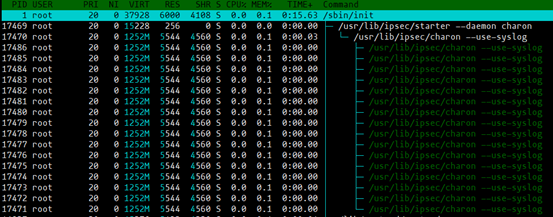
Starter:解析配置文件(ipsec.conf)等,并传递给守护进程charon。
Charon:IKE协商进程。
运行测试
预共享密钥(一对一)
测试环境
两台Ubuntu16.04服务器版
暂时用apt安装strongswan
组网方式
txt
10.8.7.96<--->router<--->10.8.7.73安装
shell
# 安装
sudo apt install strongswan配置预共享密钥
shell
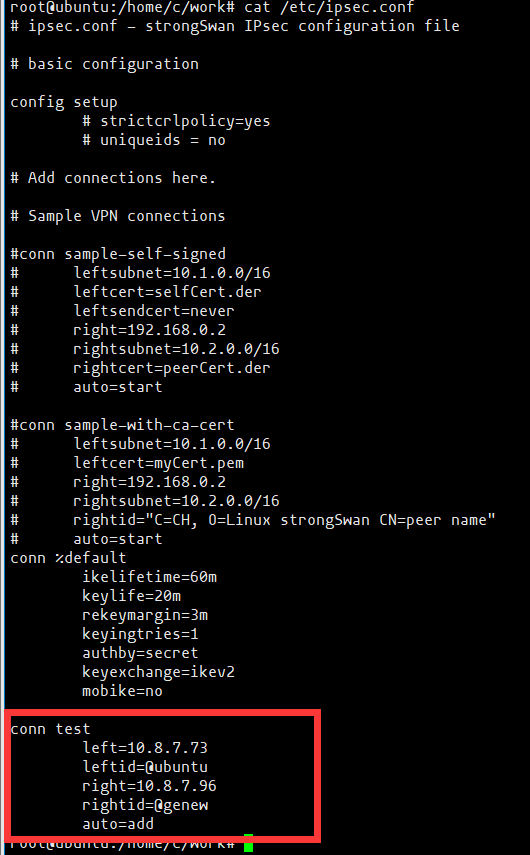
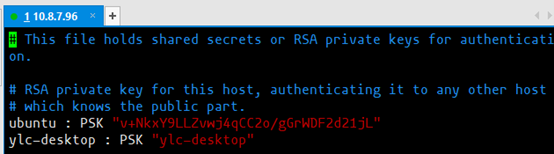
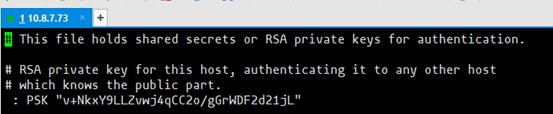
vi /etc/ipsec.secret两边密钥必须相同,如下图所示:
配置实例
启动
shell
# 启动程序
ipsec start --nofork
# 拉起隧道
ipsec up test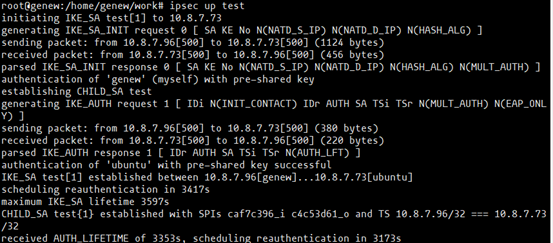
检测隧道
分别在两台电脑运行tcp客户端和服务端程序。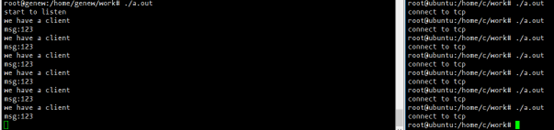
wireshark抓包,如下图所示: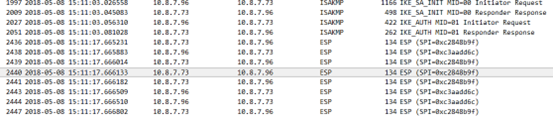
预共享密钥(一对多)
环境
三台Ubuntu16.04,服务器版本
安装步骤同上一个测试case。
组网
txt
             10.8.7.96
                ^
                |
                V
10.8.7.42<--->router<--->10.8.7.73配置预共享密钥

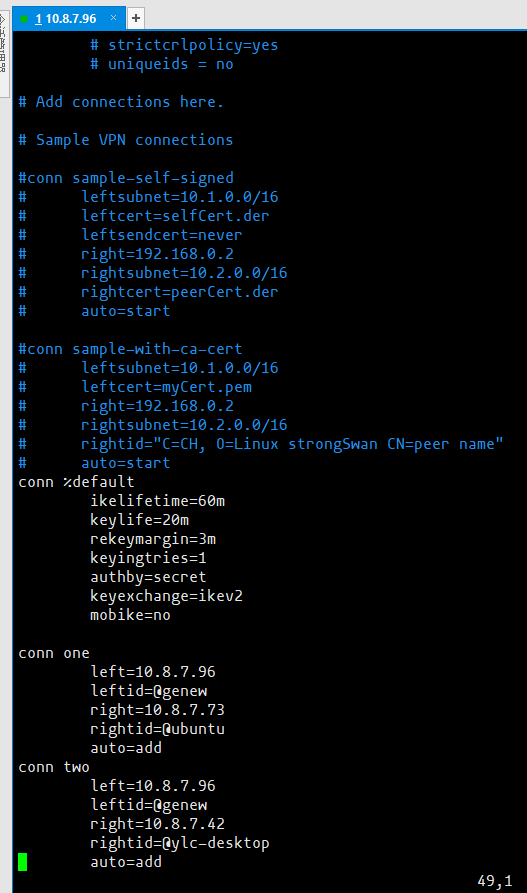
配置实例
结果
略。。。
公钥认证
测试环境
同上
组网
txt
10.8.7.76<--->router<--->10.8.7.73准备证书
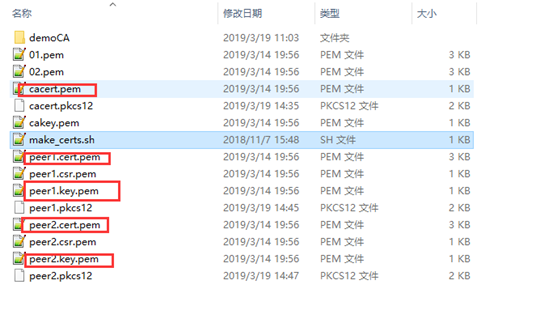
配置ipsec.secret

配置ipsec.conf
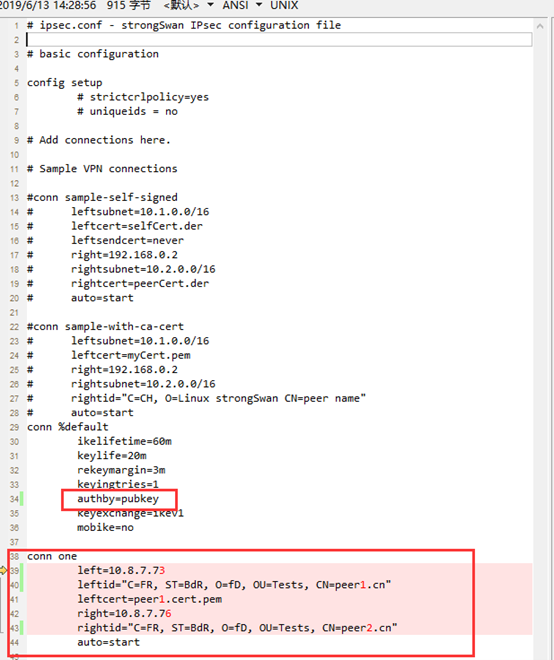
启动
启动测试步骤同上。