source insight
更新于 2021-03-25
解析宏
有些代码使用自定义宏封装函数,需要自行添加解析
source inght的正则表达式, 按F1自行查阅学习.
txt
#添加方式
Options-->Preference-->Languages-->"C/C++ Language" Prooerties-->customer Parsing
#例如
METHOD(.*,\w*\(.*\),.*)
CALLBACK(\(.*\),.*)Astyle插件
Astyle是代码整理插件.可以自行集成并指定快捷键
txt
#添加方式
Tools-->Custom commands
"C:\Path\To\AStyle.exe" -A1 -s4 -c -xl -C -xW -m0 -S -N -L -xV -xw -Y -p -U -k3 -W3 -n %fMonokai主题颜色
<font color=#78dce8>rgb(120 220 232)</font><font color=#a9dc76>rgb(169 220 118)</font>
<font color=#ab9df2>rgb(171 157 242)</font>
<font color=#ff6188>rgb(255 97 136)</font>
<font color=#fc9867>rgb(252 152 103)</font>
<font color=#ffd866>rgb(255 216 102)</font>
示例如下图: 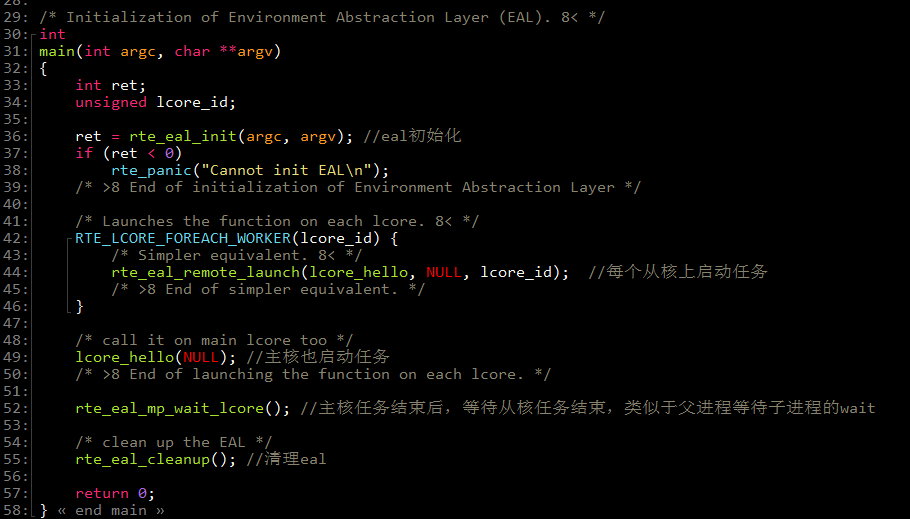
[下载地址]](https://github.com/43h/sourceinsight)